
 Test: Passed.
All posts by MJS
My Thoughts on Windows 8
I’ve taken the plunge into Windows 8. I added in a solid state hard drive into my Windows 7 desktop computer so I could dual-boot Windows 7 and 8. I won’t make any speed observations since I used a solid state drive for Windows 8 and Windows 7 is on a traditional hard drive. I used the System Builder install for Windows 8 as the license terms for the update do not allow for dual-boot.
Microsoft has really made the jump into making Windows 8 a touch based operating system, basically at the cost of traditional computer experience The new start screen and the new Windows 8-style/tiled apps are very touch-oriented that can make it feel weird on a desktop. Many of the Win 8 style apps scroll right to left instead of up and down. Even though a traditional scroll wheel will work, it is still an unusual feeling and doesn’t feel right on a traditional computer.
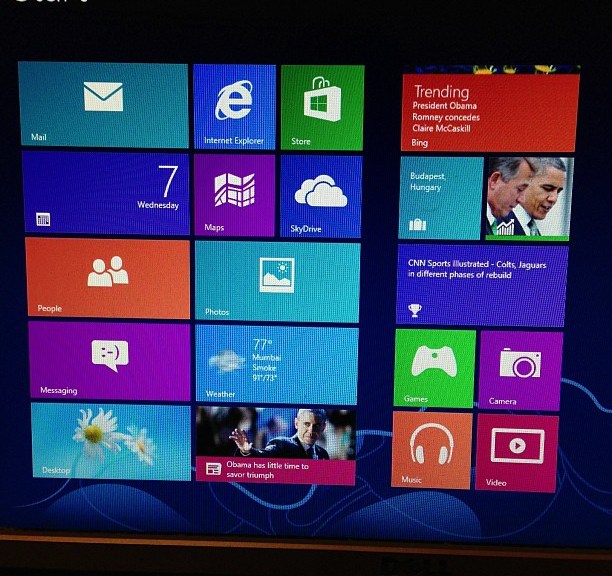
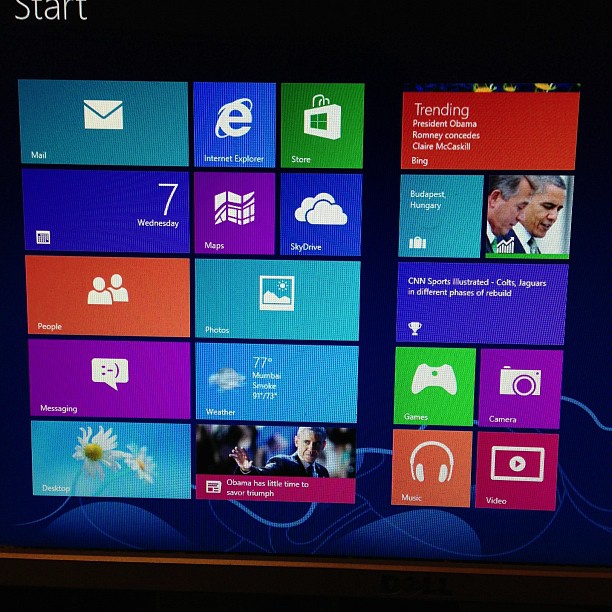
One of the new things on the Windows 8 start screen is the “live tiles” that the Windows 8 style apps can use. Live tiles come over from Windows Phone. I do like the live tiles and the quick overview of the information that they offer.
Windows 8 beings in some integration of social media. You can link up your Twitter, Facebook, Microsoft, and LinkedIn accounts. This will put all the connections from each account into the People app, so be ready to see everyone you follow on Twitter in the People app.
One of the changes in Windows 8 is the Charms menu. In the Charms menu, you have your search options, a sharing option, the button that gets you to the Start screen, a devices menu and a settings area. In a Windows 8 style app, the settings area is where the options that used to be in the menu bar are. The settings area is also where you go to shut down or restart the computer.
The old Windows you are used to is still there in Window 8 in the Desktop “app.” The UI has been tweaked to better fit with the Windows 8 style. File Explorer, formerly Windows Explorer, has been given the ribbon interface from Office.
Windows 8 gives a couple of new options for logging in to the computer in addition to your standard password. These are more oriented to touch screen users (like the picture unlock), but the option of having a PIN could have some advantages on traditional computers.
I am using a dual monitor setup on this computer and I have noticed that all the Windows 8 style area stay on one monitor and the desktop will be on the other monitor. Also, the taskbar now appears on both screens.
At least on my setup, it looks like Microsoft has moved the “Install Updates and…” from shut down to a restart.
In my opinion, Windows 8 is not as bad it is has been made out to be. It is not perfect, and it will cause confusion for some users. Some people have complained about the iOSification of OS X by Apple. Microsoft has mobilized Windows 8 so much that it can detract from the traditional PC experience, far more than what Apple has done. With more computing going into tablets and more touch screens appearing, Microsoft is looking at the future with Windows 8, and it does look like it is a good mobile operating system. However, for traditional computers, it isn’t the greatest, but it can work if you are willing to deal with the changes.
On Naming Winter Storms
You may have heard that the Weather Channel has started to name winter storms this season. I’m not a fan. What you have is a national broadcaster (that is what the Weather Channel is – a broadcaster) that has decided to name weather events on their own. There is no coordination with anyone on what gets names/what the name is. The National Weather Service does not use these names. I don’t feel these names are going to help, even in social media. Most of the reaction I’ve seen feels this is a joke.
Now, there are local stations that also name storms (WLUK and WFSB are the two that I am aware of). They are not using the names that the Weather Channel. Now, I don’t have as big of an issue with the local stations because of their limited reach.
Could naming storms become a more accepted idea? It could, but it would need more coordination and acceptance. I just can’t see the setup that is currently out there working.
Update: Added link for WLUK.
It’s a game. Not life or death. And you aren’t on the team as well.
Note: This does not apply if you are on an athletic team.
If your team loses a game, it is not life or death you you. Quit taking it like it is. There are much more important things in life to concern yourself with.
People take losses of their team way too hard. People will do stupid things that are not worth it. It is a game. It is entertainment. Not life or death. Get over it.
Also, don’t be so cocky when your team wins.
You are not on the team. Do not refer to your opinions on the game like you are. It is not “we need to improve” because you are not on the team. It is “they need to improve.”
These are the reasons people don’t like some teams or their fans. I’m looking at you, Packers fans. It can make be ashamed to be a fan.
It’s Only A Game… Life Moves On. It’s not work getting upset over.
I hate it when people overreact when their team loses a game. Hate it. In my opinion, the videos of kids getting upset on YouTube aren’t helping. Getting upset over a professional game is not worth it. Nothing good comes out of being upset over a loss from your favorite team. A loss by your team is not going to kill you. It is not life or death. Life moves on. Remember that.
Pay Attention in Work Zones!!!
Please, pay attention in work zones!!! That applies to everyone! If there is a “Work Zone Speed Limit 55”, don’t go 70+! If the sign says “Right Lane Closed Ahead” don’t stay in the right lane until the last second! There have been way too many accidents this year in the major work zones in NE Wisconsin. Pay attention out there.
It’s the Odd Holiday of the Day!
The Odd Holiday of the Day is brought to you by field goals. And now, the Odd Holiday of the Day…
Today is Talk Like A Pirate Day. Yarr.
 Mike J. Steele
You must be logged in to post a comment.